 Salary Planner
Your shifts. Your pay. In focus.
Know your pay.
Plan your month.
Before payday.
Shifts, hours, tax and expenses in one calendar. No account. Your information stays on your phone.


€0.99 once. No subscription. Local store pricing may vary.
Every job has
its own rhythm.
Rotating shifts, hourly work or a second job. What matters is knowing what your month adds up to.
For shift workers
Warehouse, factory, security or retail: track your shifts and estimate your next pay.
For couriers
Put earnings, working days and transport costs together. See the whole month, beyond one busy day.
For healthcare workers
Track hours and the multipliers in your contract. Compare your own record with your payslip.
For hourly workers
Hospitality, cleaning, retail or a side job: record hours today instead of reconstructing them on payday.
For working abroad
14 app languages, your own pay rates and separate profiles. A simple way to follow earnings away from home.
Less to keep in your head
From the next shift
to your next goal.
Set up your pay details once. Then log your days and see your plans take shape.
Add your shifts
Set your rate and tax. Build a calendar around your working pattern.
See what is left
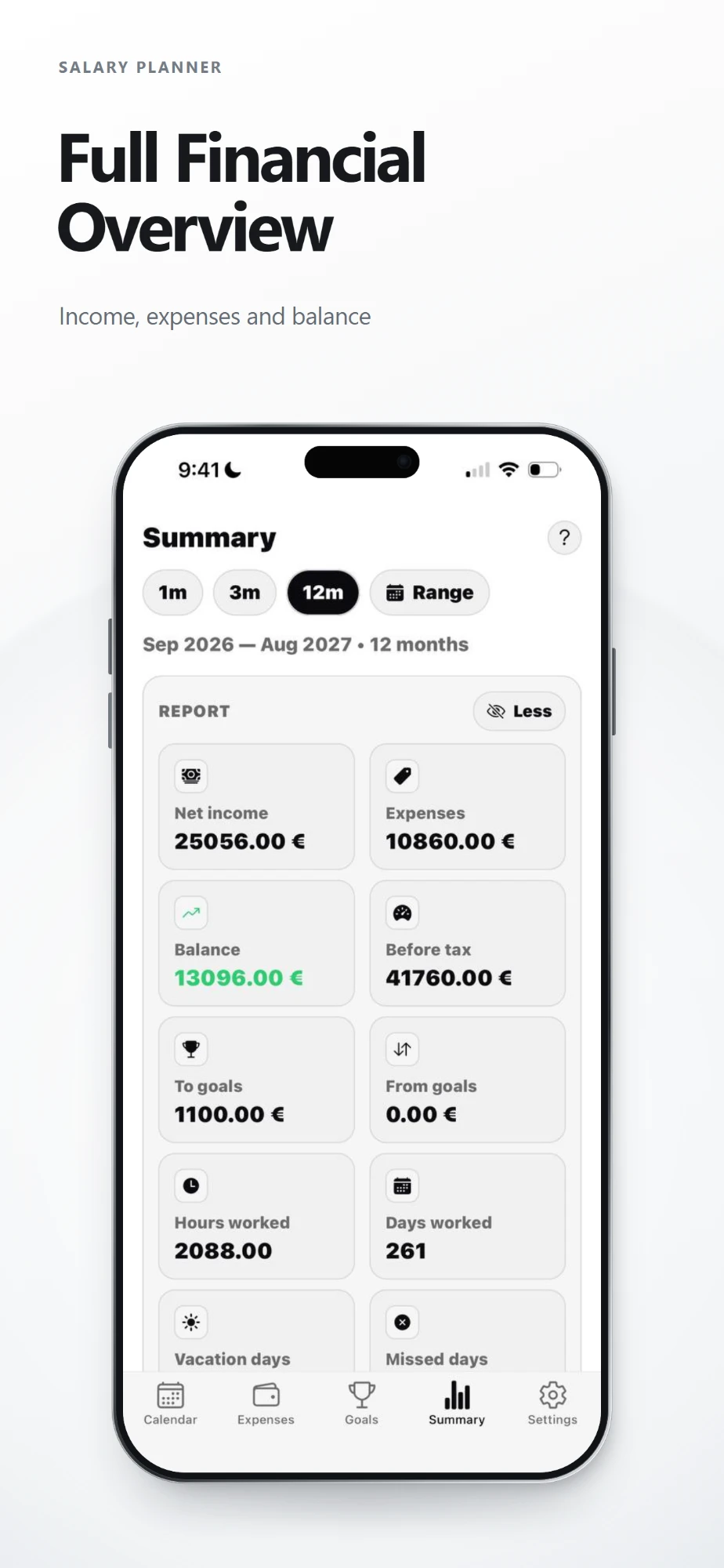
Income, expenses and goal contributions in one monthly summary.
Make room for your goals
A trip, a purchase or a cushion. Follow your progress with every payday.
See it before you buy
How it works
in the app.
Pick a feature — we show step by step where to tap and what you get. Screens follow the app; amounts are illustrative.
Why it helps
Stop keeping your pay
in your head.
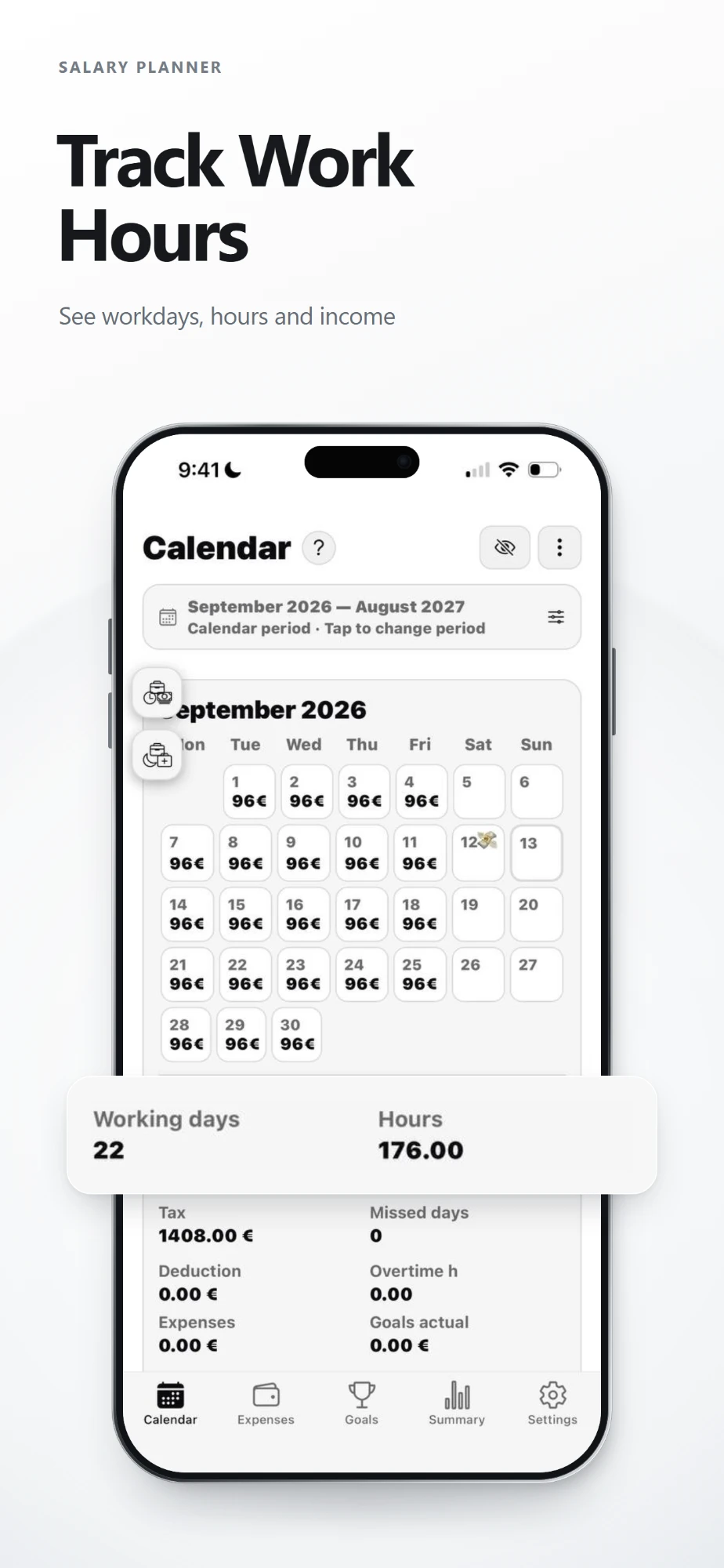
Shifts, hours, pay for every day and what is left — on one screen. Open the calendar and see what you have earned and what is still coming.
Every day at a glance
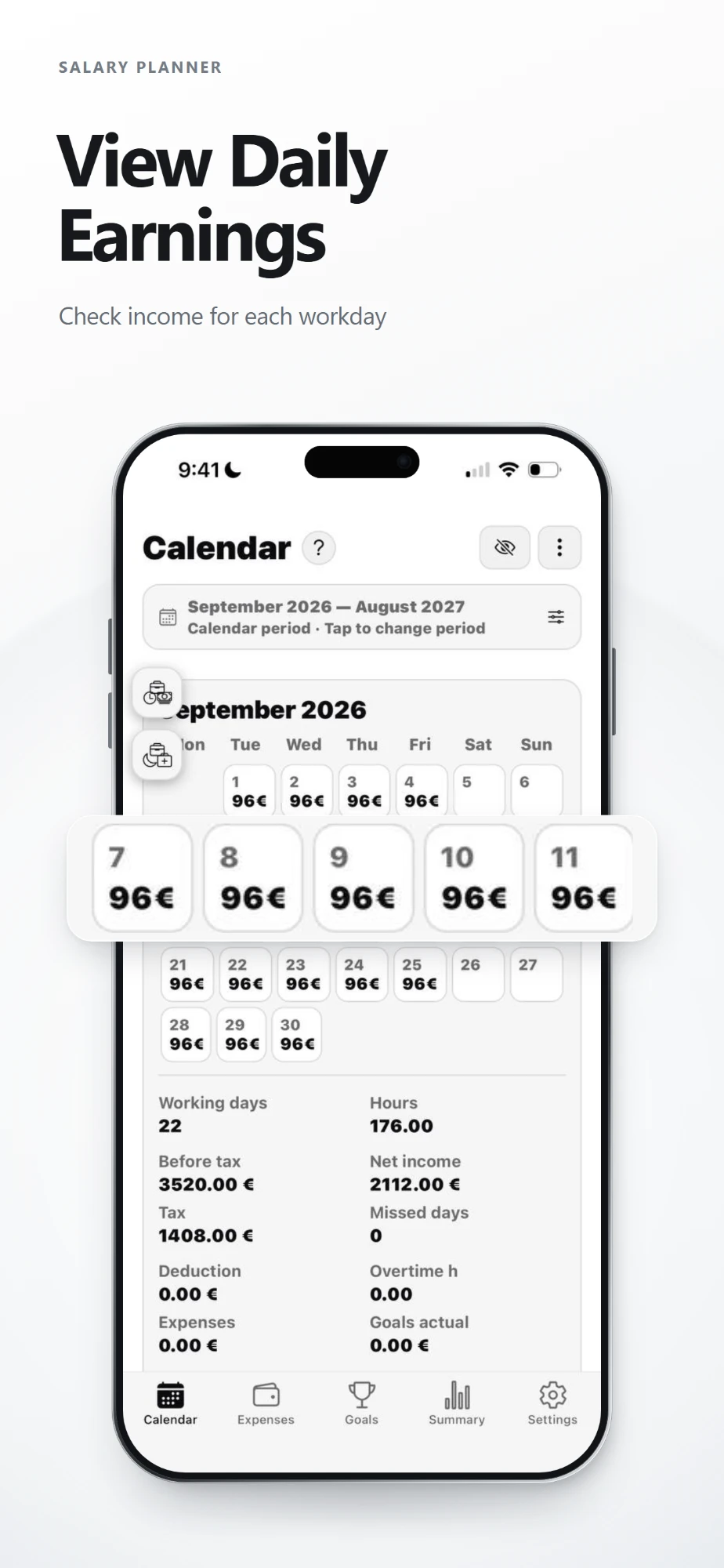
Status, hours or the day’s pay right in the calendar cell. You see at once which days are work, days off or vacation.
Know the amount before payday
Take-home and before tax — per day, per month and per year. No waiting for the payslip to know what is coming.
Check your payslip in a minute
Your hours, overtime and expected pay are always at hand. If you are paid less, you notice right away.
See what will be left
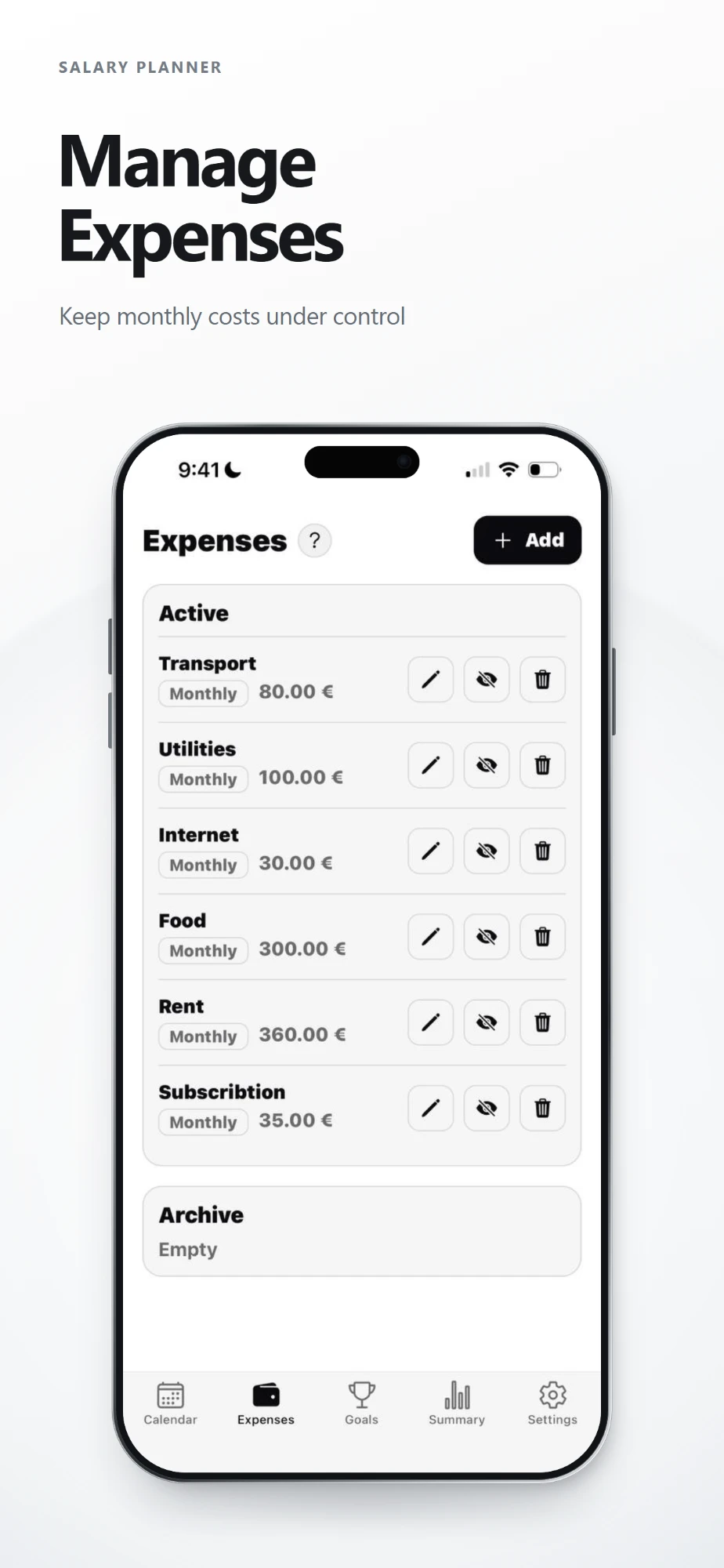
Expenses are subtracted automatically: monthly, one-time and even per working day, based on your shifts.
Save with a plan
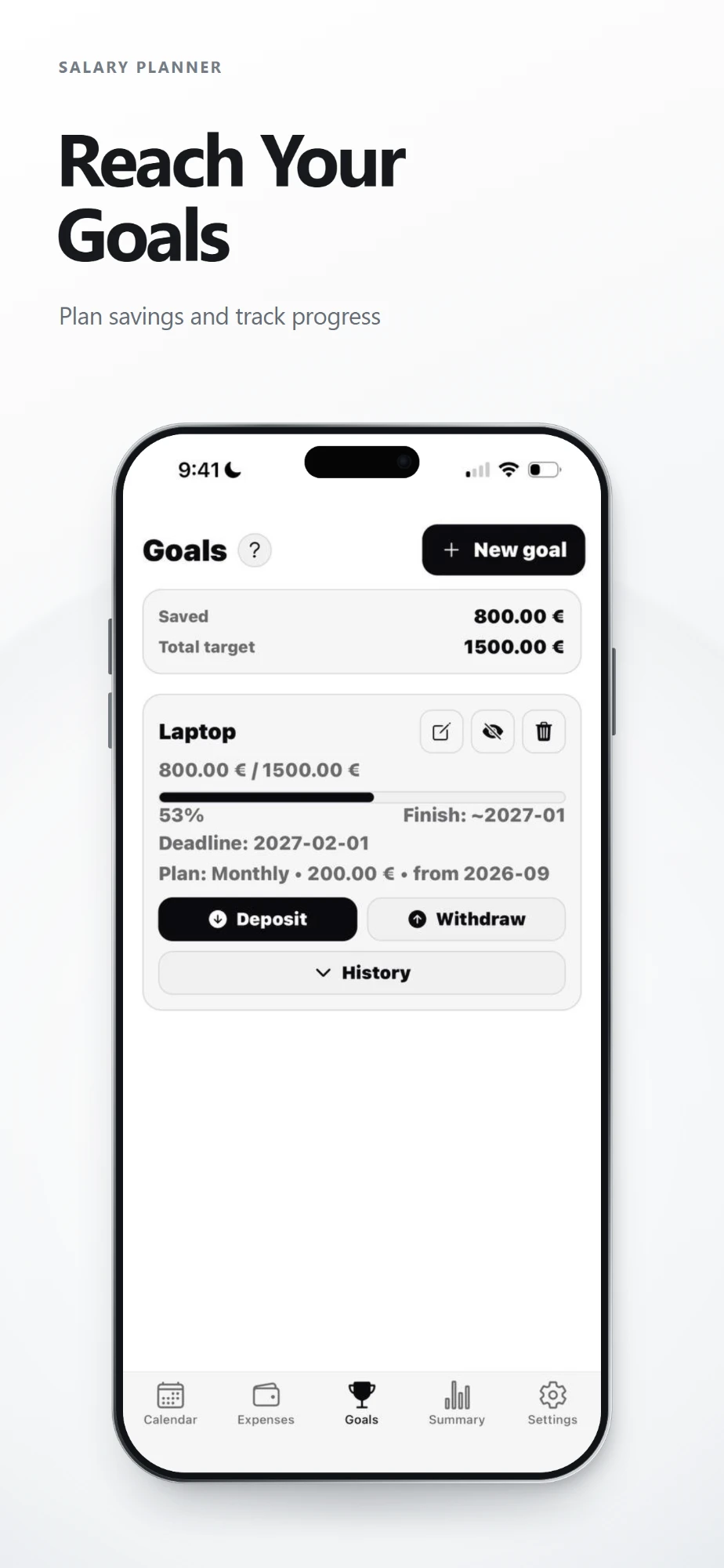
A goal, a contribution plan and a finish date. Real steps earn achievements.
No account, no subscription
Your data stays on your phone. €0.99 once, 14 languages, iPhone and Android.
Instead of questions in your head —
- “How much have I earned this month?”The month’s take-home is in the calendar and in Summary, always up to date.
- “Was I paid correctly?”Hours per day and the expected amount — check them in a minute.
- “Will it last until payday?”What is left after expenses is visible right away.
- “When will I reach my goal?”The finish date is calculated from your contribution plan.
Why it matters
of U.S. adults say money is a significant source of stress.
APA, Stress in America 2026of employees have had at least one payroll error; 42% of them were underpaid.
Remote, Global Payroll Report 2024of people employed in the EU usually work weekends; 48.9% in service and sales jobs.
Eurostat, 2023These are general studies about money and work, not data about Salary Planner users. Irregular schedules and money stress are common, and a clear calendar helps you stay in control.
Everything that shapes
your month.
Track what you earn and what stays with you after the essential costs.
Shift calendar
Mark workdays, days off and leave. Copy similar days.
Take-home pay
Set your rate and tax percentage. See what remains after deductions.
Overtime
Include extra hours and your own pay multipliers.
Expenses and balance
Subtract regular payments and see what is available to spend.
Savings goals
Add contributions, record withdrawals and follow your progress.
PDF and CSV reports
Keep a period summary or share an exported report.
Your money.
Your data stays yours.
- No account to create
- No advertising or advertising trackers
- Financial records are stored on your device
- Share a report only when you choose
No download. No payment.
Start with the numbers.
Change your rate, hours or tax. Your result updates instantly.
Free. No sign-up. Your numbers are not sent to a server.
Loading calculation…
Pay once. Start planning.
More clarity.
Less recalculating.
The essentials for tracking shifts, income and goals. Without a monthly app bill.
- ✓ Calendar, tax and overtime
- ✓ Expenses, goals and job profiles
- ✓ PDF/CSV export and 14 languages
One-time purchase · no subscription
The base euro price is shown. Your store displays the final local price and currency before purchase.
Make sense of it over coffee.
All guidesHow to calculate pay for a shift-work month
Start with paid hours, then apply rates and deductions. A worked example with 16 shifts.
Formulas, examples and common mistakesPractical guideTwo on, two off: how many shifts in a month?
Why one month may contain 14 shifts and another 16. Cycle anchors, calendars and breaks.
Formulas, examples and common mistakesPractical guideOvertime: how to avoid counting hours twice
Base pay, the multiplier and the premium are different numbers. Examples at 1.5× and 2×.
Formulas, examples and common mistakesNo fine-print surprises
Good questions.
Straight answers.
Can’t find your answer? Get in touch.
Contact supportDo I need an internet connection?
Not for recording shifts, expenses or core calculations. Data stays on your device. You need internet to download the app, get updates or email support.
Where is my data stored?
On your phone. No account or cloud sync is required. Reports are shared only when you choose to share them.
Can I use a 2 on / 2 off pattern?
Yes. Set a custom repeating pattern and edit individual days. The website also has a free 2 on / 2 off calculator with a cycle start date.
Does the app know my country’s tax rules?
No. You enter the percentage yourself. The estimate does not automatically apply progressive rates, allowances or social contributions.
Can I track more than one job?
Yes. Financial profiles keep your main job and side job separate, with their own settings and records.
Will my data transfer to a new phone?
There is no automatic cross-device sync. PDF/CSV exports save reports, not a restorable app database. Save important reports and contact support before changing phones.